
3.1 Choosing the Right Tool for the Search Job
Your research question(s) will determine the kind of search tools you will need to use in order to answer it. The types of sources you wish or need to consult will also help choose the search tool.
Sample Research Question:
What is the foreign language proficiency of elementary-aged children with autism in Alberta schools?
What is the foreign language proficiency of elementary-aged children with autism in Alberta schools?
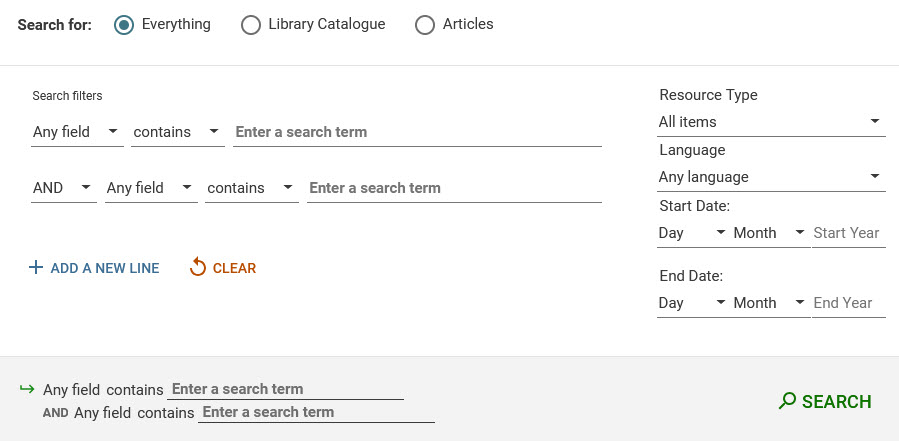
- Start your search by using the UofA Library’s Advanced Search platform. A Search Guide will help understand the database’s search functionalities.
The link to the library’s Advanced Search is located to the right of the single search box on the main library webpage, as shown in the image below.

- The Advanced Search platform allows you to search across items in the library catalogue as well as journal articles. Search strategies allow the combining of multiple concepts and a number of keywords, which you can limit to specific search fields if need be.
- It is always advisable to consult more than one database, as no single database will cover all relevant publications on a topic. To access the UofA Library’s collection of databases, there are three options.
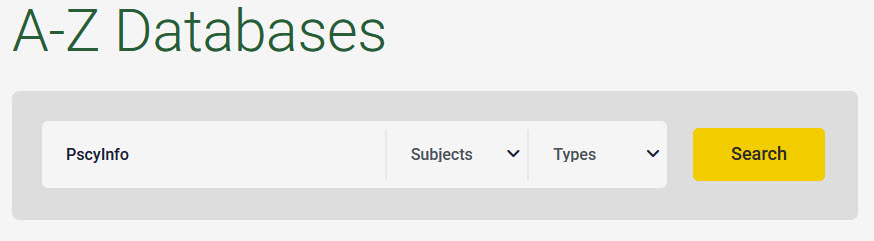
- Search for the database title (e.g. PsycInfo) using the Find Databases tool located on the main page of the library website under the search box. Type in the title of the database in the new search box for finding databases, see below.
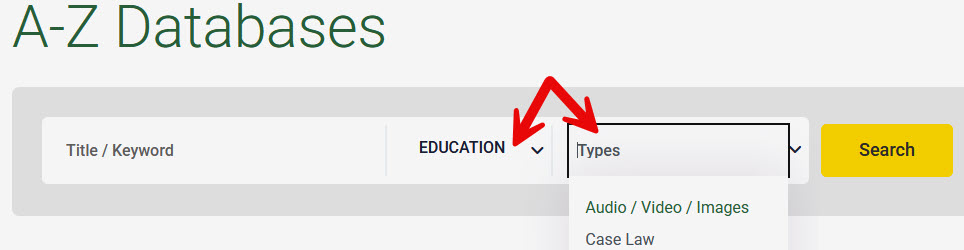
- Another possibility for identifying databases is using the Subjects and/or types drop-down menus in the A-Z Databases tool and selecting relevant subjects and/or resource types to filter databases.
- The third option is to find a database listed in a relevant subject guide or in the subject area’s list of databases. The listing of subject guides on the library website provides filtered lists of the subject area databases as well as links to the subject guides themselves. See below for an image of Education guides and databases (click on the
 symbol in the image for more information).
- Search for the database title (e.g. PsycInfo) using the Find Databases tool located on the main page of the library website under the search box. Type in the title of the database in the new search box for finding databases, see below.
- Library Research Skills modules are available in Canvas. The How to Research guide provides more information on the modules. Please see the next chapter to begin determining which concepts you will use to search for information.