
2.5 Finding Journal Articles and Book Chapter Titles
- The process involved in finding journal article titles is similar to finding book chapters.
- There are two strategies to follow in locating an article or chapter title.
- Strategy #1 involves searching the Library catalogue for the article or chapter title
- Strategy #2 involves searching the Library catalogue for the container (ie. journal title or book title) instead of what is contained (ie. the article or the chapter).
- Let’s take the following journal article citation example and see how to go about finding access to it.
Wire, V. (2005). Autistic Spectrum Disorders and learning foreign languages. Support for Learning, 20(3), 123-128.
Stategy #1
- Search the Library catalogue for the article title, e.g. “Autistic Spectrum Disorders and learning foreign languages”

-
- Click on the Available Online access link to the full-text of the article
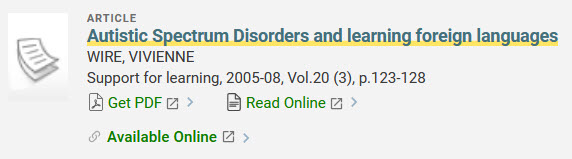
- Click on the Available Online access link to the full-text of the article
Strategy #2
- Search for the journal title or container of the article in the library catalogue, ie. “Support for Learning,” using quotation marks to search words as a phrase. Before clicking on the search button, select Library Catalogue from the drop-down menu to limit your search to items located in the library catalogue only, like titles of books and journals.

If you are accessing Search the Library from off campus, you may see a yellow band (see sample image below) at the top of your browser window with the words: “Sign in to get complete results and to request items.” Please go ahead and click on the Sign In link and enter your CCID to sign into the library catalogue. Doing so will ensure that you are able to access all of the electronic resources available at the University of Alberta Library.

- Limit your search results to the type of resource you wish to find, ie. Journals, from the filter menu on the left-hand side of the screen.

- Select the journal title, Support for Learning, from the list of results.
- Within the library catalogue record for this journal title, choose the Online Access point that covers the year of publication of the journal article, ie. 2005. In this case, only the first three databases listed as covering this journal would be an option to finding a journal article published in 2005, because they cover articles published from at least 1998.
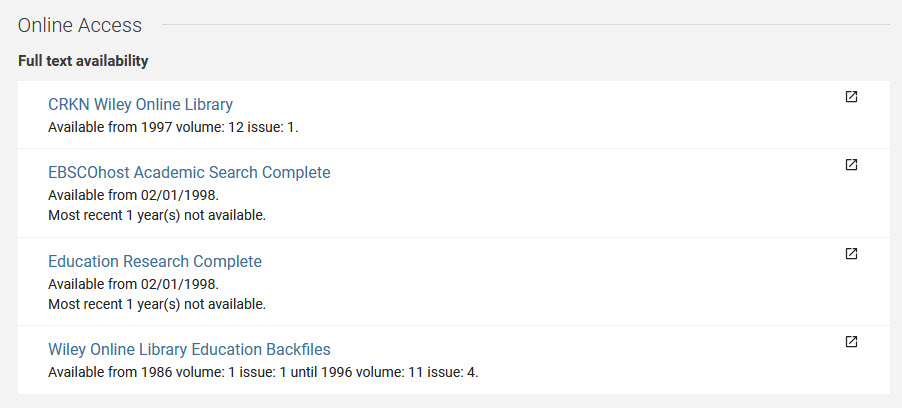
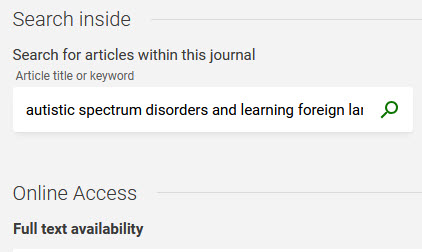
N.B. The Library catalogue includes a search box within the journal title record for searching inside journals for article keywords. Try entering the words from the article in the journal search box to find the article full-text.
-
- For accessing the journal title full-text, choose one of the databases to open the online journal, e.g. CRKN Wiley Online Library.
- Follow the steps in the CRKN Wiley Online Library database image below for locating the full-text of the article. Examine the different steps involved in finding the article full-text, starting with Browse, by clicking on the Information symbols embedded in the image.