
4 Chapter 4 – Online Professional Development Requests
Online Funding Requests for Professional Development
If you need to request Learning and Development funds for professional development, including travel to and from your PD, you can submit your request online through the LMS.
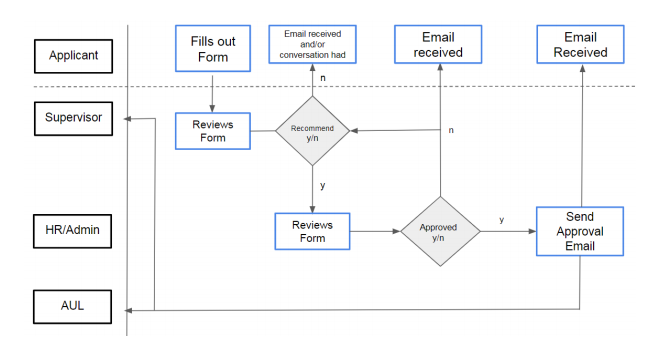
You are able to track the progress of your request and it is emailed to whoever needs to approve it next without your intervention. The following flowchart outlines how the request will proceed once it is submitted.

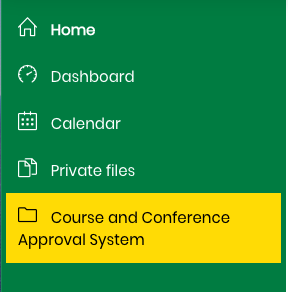
To start a new application go to the left side navigation bar and click on “Course and Conference Approval System”
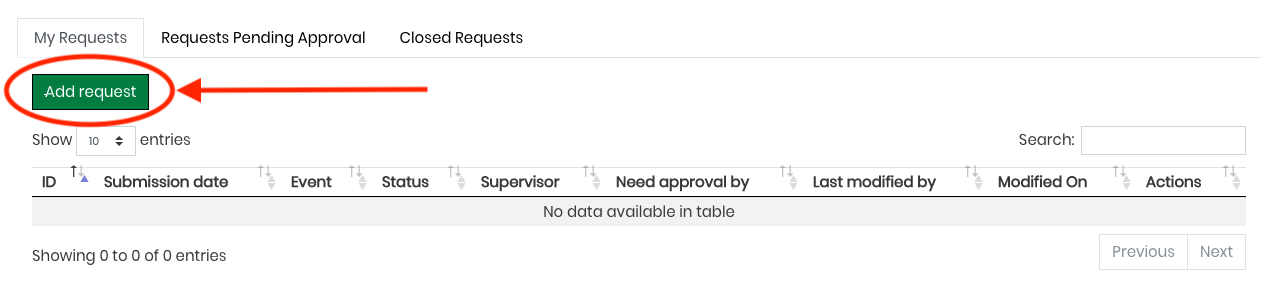
You then click on “Add Request.” Note the tabs above that will organize your pending and closed requests too.
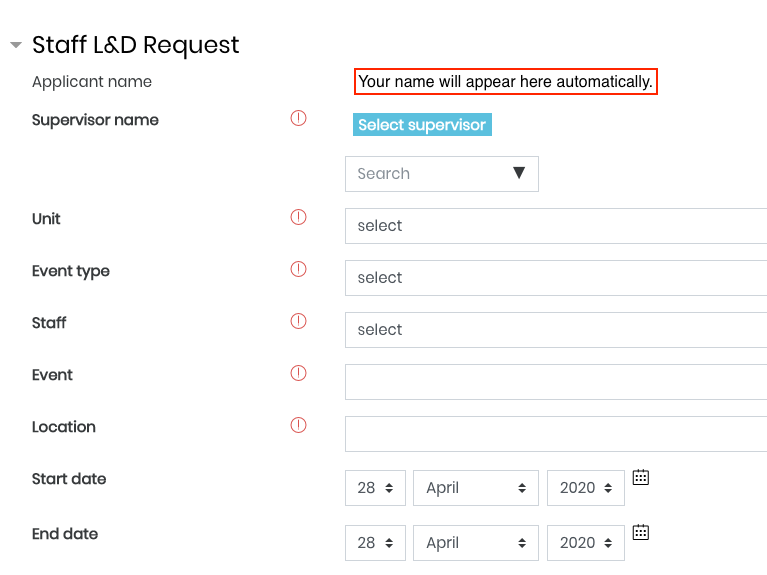
Fill out your request form and submit!
The request form will be emailed to your supervisor who will fill out their section, exactly as they do with the paper form. Then to the Learning Manager for final approval. You will receive an email notification with all the information you require to start scheduling and coordinating your conference or course.
Importantly, should you not hear back in a reasonable amount of time (1 week) , you can track who still needs to approve it and when it was last edited so you get your approval by any deadlines you need to meet.
The last chapter takes you through some activities to get to further familiarize yourself with the LMS.