Library Resources
Finding Specific Books and Articles
You might need to find a specific information source, based on a citation (e.g., if you are looking at a reference list). Follow the steps below to access it through the library. These steps will work for most books and articles, but if you have any trouble, please use the library chat service or visit the Augustana Library service desk for help.
Step 1: Figure Out the Type of Source
Here are some clues for identifying different types of sources you are likely to encounter in biology texts. For a more in-depth explanation and additional examples, watch this 4-minute video about identifying sources in a reference list.
Journal article
A journal article reference should look similar to this example:
Coltri KC, Oliveira LL, Pinzan CF, Vendruscolo PE, Martinez R, Goldman MH, Panunto-Castelo A, Roque-Barreira MC. (2008). Therapeutic administration of KM+ lectin protects mice against Paracoccidioides brasiliensis infection via interleukin-12 production in a toll-like receptor 2-dependent mechanism. Am J Pathol, 173, 423–432.
Depending on the citation style, the order of information or formatting may vary, but an article reference usually includes these details:
Author name(s). (Year of publication). Title of article. Journal Title, volume # (sometimes issue #), page–range.
The journal title is often abbreviated, like it is in the above example (Am J Pathol). Journal article citations generally do not include the name of a publishing company.
Book
A book reference should look like this example:
Cooper GM, Hausman RE. (2007). The cell: A molecular approach. 4th ed. Washington DC: ASM Press.
The formatting details may vary depending on the citation style, but a book reference usually includes:
Author or editor name(s). (Year of publication). Title of book. Edition (if relevant). Place of Publication: Publisher.
Book chapter
Some reference lists might include individual chapters within books. For this type of source, the entire book is often edited by one or more people, and each chapter may be written by different authors. This kind of reference should look similar to the following example:
Kilpatrick DC. (1998). Use of lectins as mitogens for lymphocytes. In: Rhodes JM, Milton JD, eds. Methods in Molecular Medicine Vol 9 Lectin Methods and Protocols. Totowa NJ: Humana Press, 385–392.
The formatting might vary depending which citation style was used, but a book chapter reference usually includes these details:
Author name(s). (Year of publication). Title of chapter. In: editor name(s). Title of book. Place of Publication: Publisher, page–range.
Step 2: Identify the Work’s Title
To search for a journal article you often just need the article title, like the highlighted section in this example:
Greene CH, Pershing AJ. 2004. Climate and the conservation biology of North Atlantic right whales: the right whale at the wrong time? Front Ecol Environ. 2(1):29-34.
For a book (or a chapter within a book), you’ll need the book title, like this example:
Lis H, Sharon N. (1986). Biological properties of lectins. In: Liener IE, Sharon N, Goldstein IJ, eds. The Lectins: Properties, and Applications in Biology and Medicine. New York: Academic Press, 265–291.
Step 3: Search for the Title
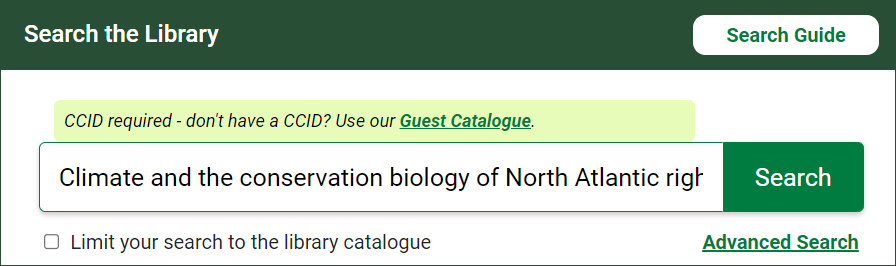
Go to the library website and enter the title into the search box under Search the Library. This will search the library catalogue and a few hundred databases.
Step 4: Review the Results
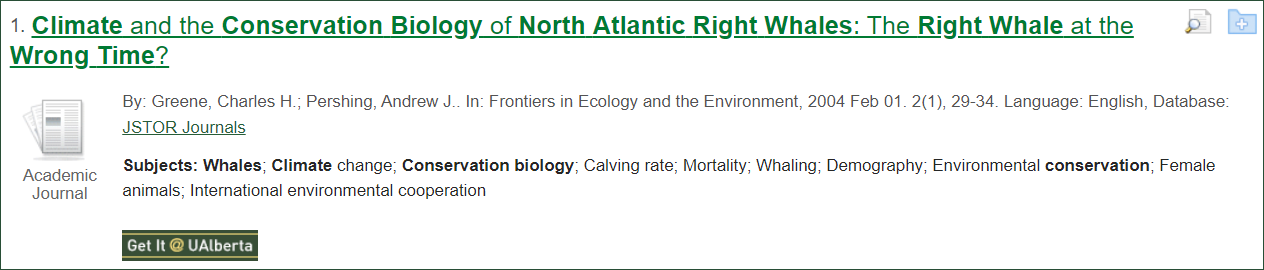
Scroll down to the list of results. Any exact matches should be near the top of the list.
Step 5: Access the Work
For an online article or ebook
There may be a link you can click on to view the full text. Different types of access links include:
- HTML Full Text
- PDF Full Text
- University of Alberta Access
- Online Access
- Free Access
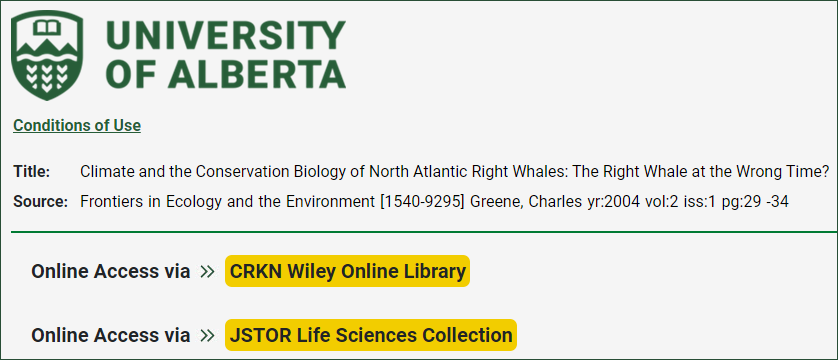
If there is no full text link, click on the Get It @ UAlberta button:  . You will then either be taken right to the full text, or see a page with different options for accessing the article or book, like the one below. Click on any of the Online Access links to view the item. The page that opens should include either the full text or a link to a PDF.
For a print book
The matching result will show one or more libraries where the book is located. To request the book click on the Place Hold button, login with your CCID, and choose “University of Alberta – Augustana Campus Library” as the pickup library. The book will be delivered to the library, usually within a few days, and you will receive an email when it is ready to pick up.
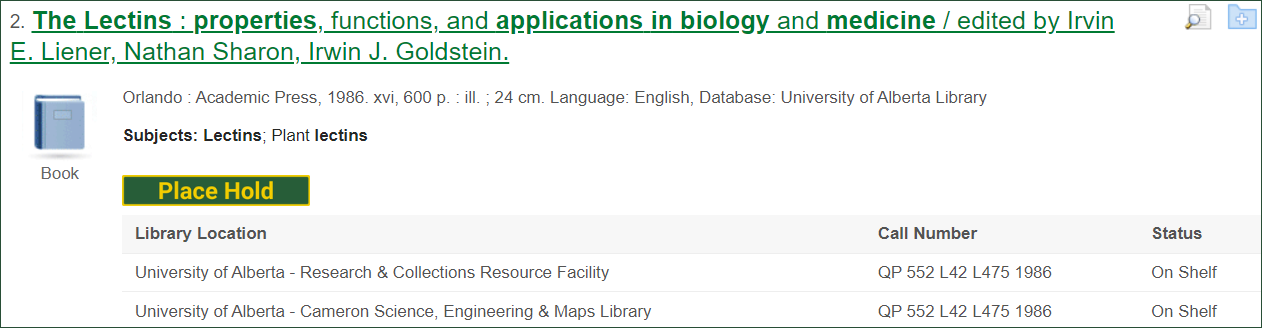
If the book is already located at the Augustana Library, you can go there and find it on the shelf. Watch this 3-minute video to learn how to find books within the library.
Step 6: Share a Link to the Work
You might want to share a stable link to an online article or book that you found. In the list of search results, click on the title of the article or ebook.

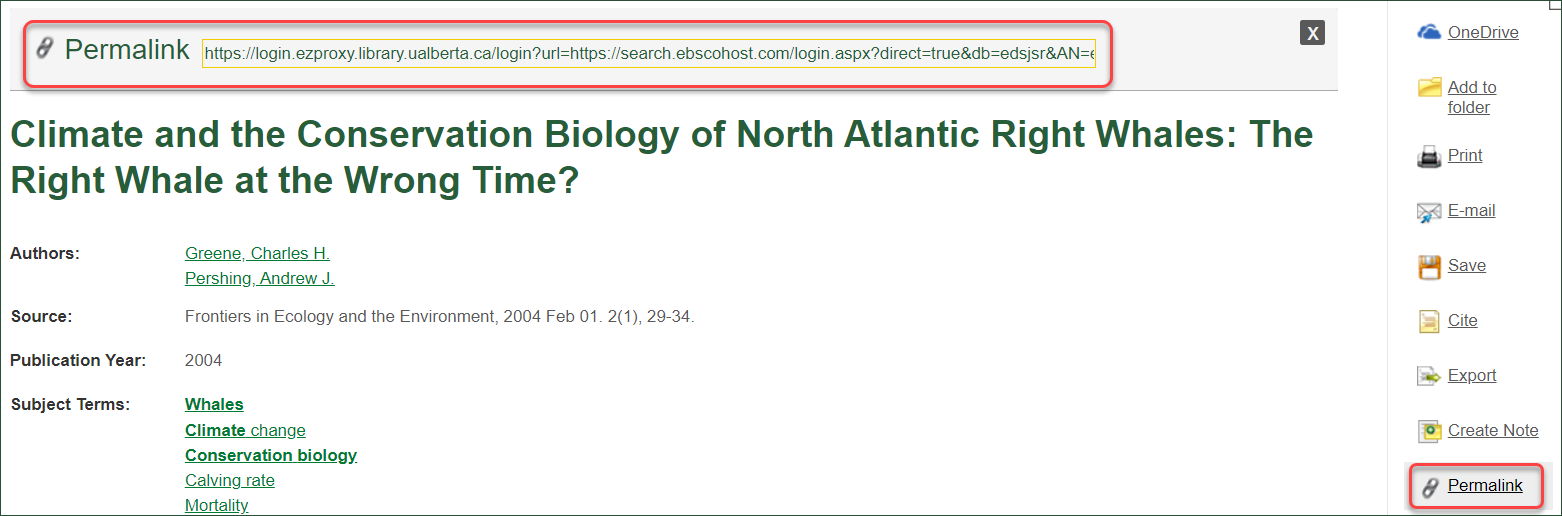
On the right side of the record, click on “Permalink.” A link should appear just above the article’s title, and you can copy it to access the work later or share it with someone else.